

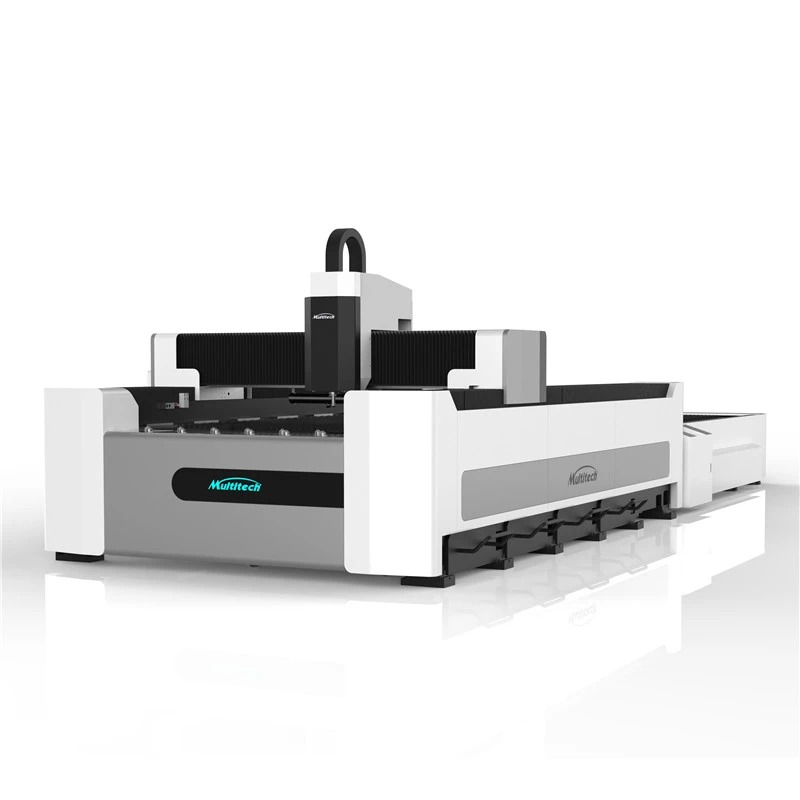
Hey there! I'm a supplier of CNC Fiber Laser Cutting Machines, and I know how crucial it is to have your machine calibrated correctly. Whether you're a newbie in the laser - cutting world or a seasoned pro, proper calibration can significantly impact the quality and efficiency of your work. In this blog, I'm gonna walk you through the steps on how to calibrate a CNC fiber laser cutting machine.
Why Calibration Matters
Before we dive into the calibration process, let's talk about why it's so important. A well - calibrated CNC fiber laser cutting machine ensures clean, precise cuts every time. If the machine isn't calibrated right, you might end up with rough edges, inaccurate cuts, or even damage to the material you're working on. Plus, it helps to extend the lifespan of the machine by reducing unnecessary wear and tear on its components.

Pre - Calibration Checks
First things first, you need to do some checks before starting the calibration. Make sure the machine is powered off and unplugged to avoid any electrical shocks. Check the physical condition of the machine. Look for any loose parts, damaged cables, or signs of wear and tear. Also, clean the machine thoroughly. Any dust or debris can interfere with the calibration process.
Beam Alignment
One of the most critical steps in calibrating a CNC fiber laser cutting machine is beam alignment. The laser beam needs to be precisely aligned to ensure accurate cutting.
Step 1: Check the Laser Source
Start by inspecting the laser source. Make sure it's properly installed and tightened. Any misalignment at the source can cause major issues down the line. You can use the manufacturer's guidelines to check the alignment of the laser source.
Step 2: Use Alignment Tools
Most modern CNC fiber laser cutting machines come with alignment tools. These tools help you to precisely align the laser beam. One common tool is the beam profiler, which shows the shape and position of the laser beam. Place the beam profiler at the desired cutting point and adjust the mirrors and lenses of the laser path until the beam is centered.
Step 3: Verify the Alignment
After making the adjustments, verify the alignment. You can do this by making a few test cuts on a scrap piece of material. If the cuts are straight and clean, the beam is likely well - aligned. If not, you may need to go back and make further adjustments.
Focus Adjustment
The focus of the laser beam is another key factor in achieving high - quality cuts. A proper focus ensures that the laser energy is concentrated at the right point on the material.
Step 1: Determine the Focal Length
The focal length depends on the type of material you're cutting and the thickness of the material. For example, thinner materials may require a shorter focal length, while thicker materials need a longer one. You can refer to the machine's manual or do some online research to find the appropriate focal length for your specific material.
Step 2: Adjust the Focus
Most CNC fiber laser cutting machines have a focus adjustment mechanism. You can use this mechanism to move the lens up or down to adjust the focus. Make small adjustments and check the results on a test piece of material. An optimal focus will result in a clean, smooth cut with minimal heat - affected zones.
Power Calibration
The power of the laser also needs to be calibrated correctly. If the power is too low, the machine may not be able to cut through the material. If it's too high, it can cause damage to the material and the machine.
Step 1: Measure the Laser Power
Use a power meter to measure the actual power of the laser beam. Place the power meter at the cutting point and take a reading. Compare this reading with the recommended power settings for the material you're cutting. You can find these settings in the machine's manual or by referring to Laser Cutting Stainless Steel.
Step 2: Adjust the Power
If the measured power is different from the recommended power, you need to adjust it. Most machines have a power adjustment feature. Make small adjustments and re - measure the power until it reaches the desired level.
Speed and Feed Rate Calibration
The speed and feed rate of the machine are important for achieving efficient and high - quality cuts.
Step 1: Determine the Optimal Speed and Feed Rate
The optimal speed and feed rate depend on the material type, thickness, and the power of the laser. You can start by referring to the machine's manual for some general guidelines. For more accurate settings, you may need to do some trial - and - error on test pieces of material.
Step 2: Make Adjustments
Use the machine's control panel to adjust the speed and feed rate. Start with a conservative setting and gradually increase it until you find the optimal combination that gives you clean, precise cuts.
Testing and Fine - Tuning
After completing all the calibration steps, it's time to do some testing. Make a few cuts on different types of materials with various thicknesses. Inspect the cuts closely for any signs of issues, such as rough edges, incomplete cuts, or excessive heat - affected zones.
If you notice any problems, go back and fine - tune the calibration settings. Remember, calibration is an ongoing process, and you may need to make adjustments from time to time, especially if you change the type of material you're cutting or if the machine has been moved.
Conclusion
Calibrating a CNC fiber laser cutting machine is a detailed but rewarding process. By following these steps, you can ensure that your machine is working at its best, delivering high - quality cuts and maximizing its efficiency. If you're interested in our Stainless Steel Laser Cutter or Full Automatic Fiber Laser Cutter, or if you have any questions about calibration or our products, don't hesitate to reach out. We're here to help you get the most out of your laser - cutting experience.
References
- Manufacturer's manuals of CNC fiber laser cutting machines
- Online resources on laser cutting technology