

Hey there! As a supplier of Fiber Laser Cutting Machines, I often get asked about the kind of software used for these amazing pieces of equipment. So, today I'm gonna break it down for you and share the ins and outs of the software that makes fiber laser cutting machines tick.
Why Software is a Big Deal for Fiber Laser Cutting Machines
You know, a fiber laser cutting machine is like a high - tech champ, but it's the software that really unlocks its full potential. The right software allows operators to control the machine with precision, create complex cutting patterns, and optimize the cutting process for different materials. It's kind of like the brain of the machine, guiding it through every cut, making sure each one is perfect. Without the proper software, all that high - end hardware of the fiber laser cutting machine would be pretty useless.
Commonly Used Software Types
CAD (Computer - Aided Design) Software
CAD software is where the design process starts. It's used to create 2D or 3D models of the parts you want to cut. There are tons of CAD programs out there, but some of the most popular ones for laser cutting include AutoCAD and SolidWorks. AutoCAD is known for its versatility. It's been around for ages and has a huge user base. With AutoCAD, you can create detailed 2D drawings with ease. You can define the exact dimensions, shapes, and angles of your parts, which is super important for accurate laser cutting.
SolidWorks, on the other hand, is more focused on 3D design. If you're working on parts with complex geometries, SolidWorks is a great option. You can build full - fledged 3D models, visualize how your part will look and function, and then export the design for laser cutting. These CAD tools are essential for turning your ideas into digital blueprints that the laser cutting machine can understand. You can check out our Laser Sheet Cutting Machine to see how well - designed CAD files can translate into high - quality cuts.
CAM (Computer - Aided Manufacturing) Software
Once you have your CAD design, the next step is to use CAM software. CAM software takes the design from the CAD program and translates it into instructions for the fiber laser cutting machine. It calculates the cutting paths, determines the optimal cutting speed, power, and other parameters for the specific material you're working with.
One well - known CAM software for laser cutting is SheetWorks. It can handle a variety of materials, from thin sheets of metal to thicker plates. SheetWorks can automatically generate cutting strategies to minimize waste and improve efficiency. It also allows for nesting, which means it arranges multiple parts on the material sheet in the most space - efficient way possible. This not only saves material but also reduces the cutting time.
Another popular CAM option is Bodor CAM. Bodor CAM is highly integrated with many fiber laser cutting machines. It has a user - friendly interface that makes it easy for operators to set up the cutting process. It can quickly adjust the cutting parameters based on the material type and thickness, ensuring a smooth and accurate cutting operation. Our Aluminum Fiber Laser Cutting Machine works great with these CAM software options to cut aluminum sheets precisely.

Machine - Specific Control Software
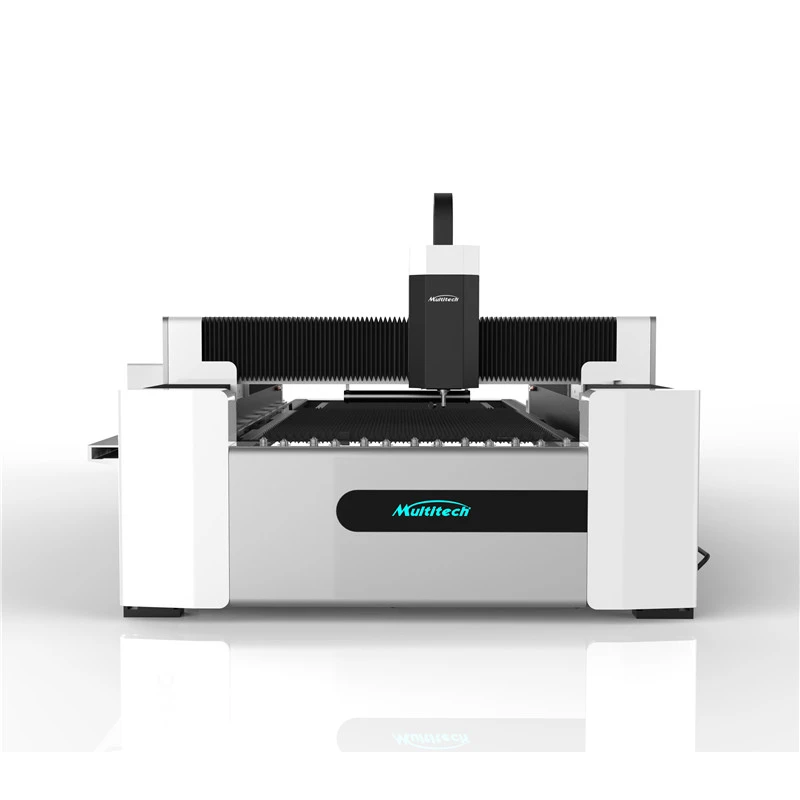
Every fiber laser cutting machine usually comes with its own control software. This software is designed specifically for that particular machine model. For example, the software provided by our Fiber Laser Sheet Metal Cutting Machine is tailored to optimize its performance.
Machine - specific control software allows operators to directly control the movement of the laser head, adjust the laser power in real - time, and monitor the cutting process. It often has a touch - screen interface that makes it easy to operate. Some of these software packages also have built - in diagnostic tools. These tools can detect any issues with the machine during the cutting process, such as a drop in laser power or a misalignment of the laser head. This helps in quickly identifying and resolving problems, minimizing downtime.
Factors to Consider When Choosing Software
When you're picking software for your fiber laser cutting machine, there are a few things you need to keep in mind.
Compatibility
First off, the software has to be compatible with your machine. Not all software will work with every fiber laser cutting machine. You need to make sure that the CAD, CAM, and control software you choose are designed to communicate properly with your specific machine model. Otherwise, you might run into all sorts of problems, like incorrect cutting paths or the machine not responding to the software commands.
Ease of Use
Let's face it, if the software is too complicated to use, it's gonna be a pain for your operators. Look for software with an intuitive interface. A user - friendly software means that your operators can learn to use it quickly, reducing the training time and the chances of making mistakes during the cutting process.
Functionality
Think about what you need the software to do. If you're mainly cutting simple shapes, you might not need all the advanced features of a high - end CAD or CAM program. But if you're working on complex parts with intricate details, you'll need software that can handle those designs and generate accurate cutting paths. Also, consider if the software has features like nesting, material handling, and real - time monitoring.
Cost
Cost is always a factor. Some software can be quite expensive, especially the more advanced ones with all the bells and whistles. You need to balance the features you need with the cost of the software. Sometimes, there are free or open - source alternatives that can still get the job done for simpler projects.
How Software Impacts the Cutting Process
The quality of the software directly affects the quality of the cuts. With good software, you can achieve precise cuts with a smooth finish. The software controls the laser power, speed, and focus, which are all crucial factors in determining the cut quality. For example, if the software miscalculates the cutting speed, you might end up with a rough or uneven cut.
Software also plays a big role in efficiency. As I mentioned earlier, CAM software can optimize the cutting paths and nesting, which means you use less material and save time. This can have a significant impact on your bottom line, especially if you're doing high - volume production.
Getting the Most Out of Your Software
To make the most of the software for your fiber laser cutting machine, regular updates are a must. Software developers are always working on improving their products, adding new features, and fixing bugs. By keeping your software up - to - date, you can ensure that your machine is operating at its best.
Training your operators is also crucial. A well - trained operator can take full advantage of the software's features, making the cutting process more efficient and accurate. You can provide in - house training or have your operators attend training courses offered by the software vendors.
Wrapping It Up and Reaching Out
So, there you have it! The software used for fiber laser cutting machines is a crucial part of the whole operation. From CAD design to CAM programming and machine - specific control, each type of software has its own role to play in ensuring high - quality, efficient cutting.
If you're in the market for a fiber laser cutting machine or want to learn more about the software options available, don't hesitate to reach out. We're here to answer any questions you might have and help you find the best solutions for your needs. Let's have a chat and see how we can work together to take your cutting operations to the next level!
References
- AutoCAD official documentation
- SolidWorks user guides
- SheetWorks product manuals
- Bodor CAM technical resources