

Hey there! I'm a supplier of steel laser cutters, and I often get asked about the software used to operate these amazing machines. In this blog post, I'll break down the different types of software that are commonly used with steel laser cutters, explain their features, and give you some insights into choosing the right one for your needs.
Why Software Matters in Steel Laser Cutting
Before we dive into the specific software options, let's talk about why software is so crucial for operating a steel laser cutter. The software acts as the brain of the machine, controlling everything from the movement of the laser head to the power output. It allows you to create detailed designs, import existing files, and precisely control the cutting process. Without the right software, your laser cutter would be nothing more than a big, expensive piece of metal.
Types of Software for Steel Laser Cutters
CAD Software
CAD, or Computer-Aided Design, software is used to create the initial designs that will be cut by the laser cutter. There are many different CAD programs available, ranging from free, basic options to professional-grade software with advanced features. Some popular CAD software for laser cutting includes:
- AutoCAD: This is one of the most well-known CAD programs in the industry. It offers a wide range of tools for creating 2D and 3D designs, and it's widely used in various industries, including manufacturing and engineering.
- Fusion 360: Developed by Autodesk, Fusion 360 is a cloud-based CAD/CAM software that combines design, engineering, and manufacturing capabilities. It's a great option for both beginners and experienced designers, as it offers a user-friendly interface and a wide range of features.
- Inkscape: This is a free, open-source vector graphics editor that's popular among hobbyists and small businesses. It's easy to use and offers a wide range of tools for creating and editing designs.
Once you've created your design in CAD software, you'll need to convert it into a format that the laser cutter can understand. This is where CAM software comes in.
CAM Software
CAM, or Computer-Aided Manufacturing, software is used to convert the CAD design into a set of instructions that the laser cutter can follow. It takes into account factors such as the material type, thickness, and cutting speed, and it generates a toolpath that the laser cutter will use to cut the design. Some popular CAM software for laser cutting includes:
- LaserCut: This is a dedicated CAM software for laser cutting that's designed to work with a wide range of laser cutters. It offers a user-friendly interface and a wide range of features, including support for multiple file formats, automatic nesting, and real-time simulation.
- RDWorks: This is another popular CAM software for laser cutting that's widely used in the industry. It offers a wide range of features, including support for multiple languages, advanced nesting algorithms, and the ability to control the laser cutter directly from the software.
- LightBurn: This is a relatively new CAM software for laser cutting that's designed to be easy to use and affordable. It offers a wide range of features, including support for multiple file formats, real-time preview, and the ability to control the laser cutter directly from the software.
CNC Controller Software
CNC, or Computer Numerical Control, controller software is used to communicate with the laser cutter and control its movements. It's usually included with the laser cutter, but some manufacturers also offer third-party controller software that can be used with their machines. Some popular CNC controller software for laser cutting includes:
- Mach3: This is a popular CNC controller software that's widely used in the industry. It offers a wide range of features, including support for multiple axes, real-time simulation, and the ability to control the laser cutter directly from the software.
- LinuxCNC: This is a free, open-source CNC controller software that's based on the Linux operating system. It's a great option for hobbyists and small businesses, as it offers a wide range of features and is highly customizable.
- GRBL: This is a free, open-source CNC controller software that's designed to work with Arduino boards. It's a popular option for DIY laser cutters, as it's easy to use and offers a wide range of features.
Choosing the Right Software for Your Steel Laser Cutter
When choosing the right software for your steel laser cutter, there are several factors to consider:
- Compatibility: Make sure the software you choose is compatible with your laser cutter. Some software may only work with certain models or brands of laser cutters, so it's important to check the compatibility before making a purchase.
- Features: Consider the features you need in the software. Do you need advanced design tools, automatic nesting, or real-time simulation? Make a list of the features that are important to you and choose a software that offers those features.
- Ease of Use: The software should be easy to use, especially if you're new to laser cutting. Look for software with a user-friendly interface and plenty of tutorials and support resources.
- Cost: The cost of the software can vary widely, from free to several thousand dollars. Consider your budget and choose a software that offers the features you need at a price you can afford.
Our Steel Laser Cutters and Software
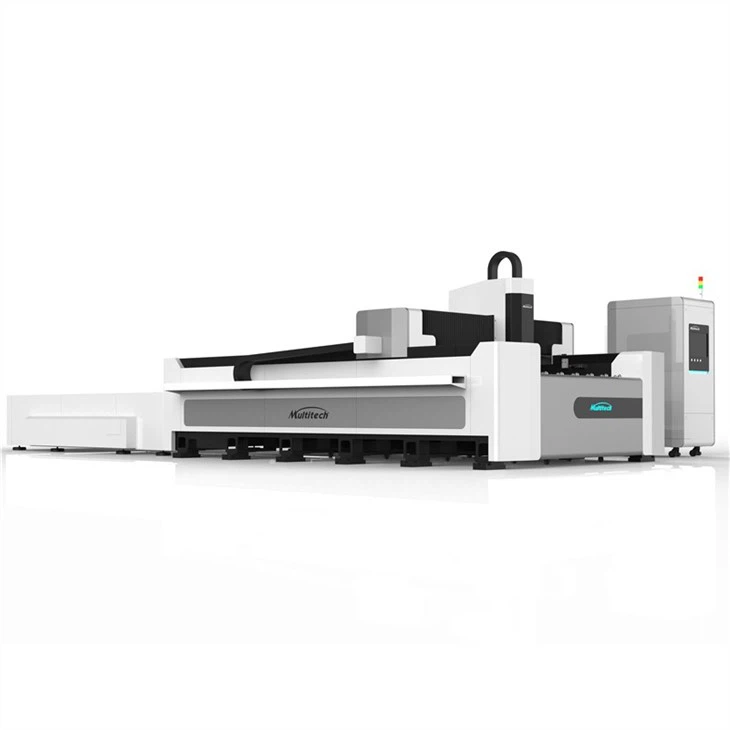
At our company, we offer a range of Open Type Fiber Laser Cutting Machine that are designed to work with a variety of software. Our machines are compatible with popular CAD/CAM software, such as AutoCAD, Fusion 360, and LaserCut, as well as CNC controller software, such as Mach3 and LinuxCNC.
We also offer a 2 KW Laser Cutting Machine that's perfect for small to medium-sized businesses. This machine is easy to use and offers high-quality cutting results. It's compatible with a range of software, making it a versatile option for a variety of applications.
In addition, we have a high power fiber laser cutter that's designed for heavy-duty cutting applications. This machine offers high cutting speeds and precision, and it's compatible with advanced CAD/CAM software for complex designs.

Conclusion
Choosing the right software for your steel laser cutter is essential for achieving high-quality cutting results. By considering factors such as compatibility, features, ease of use, and cost, you can find the software that's right for your needs. At our company, we're committed to providing our customers with the best steel laser cutters and software solutions. If you're interested in learning more about our products or have any questions about the software used to operate our machines, please don't hesitate to contact us. We'd be happy to help you find the perfect solution for your business.
References
- Autodesk. (n.d.). AutoCAD. Retrieved from [Autodesk website]
- Autodesk. (n.d.). Fusion 360. Retrieved from [Autodesk website]
- Inkscape. (n.d.). Inkscape. Retrieved from [Inkscape website]
- LaserCut. (n.d.). LaserCut software. Retrieved from [LaserCut website]
- RDWorks. (n.d.). RDWorks software. Retrieved from [RDWorks website]
- LightBurn. (n.d.). LightBurn software. Retrieved from [LightBurn website]
- Mach3. (n.d.). Mach3 software. Retrieved from [Mach3 website]
- LinuxCNC. (n.d.). LinuxCNC software. Retrieved from [LinuxCNC website]
- GRBL. (n.d.). GRBL software. Retrieved from [GRBL website]